Table of contents
In today’s digital world, helping children understand basic computer concepts is just as important as teaching them to read and write. Early exposure to technology builds confidence, strengthens problem-solving skills, and prepares children for a future where digital literacy is essential.
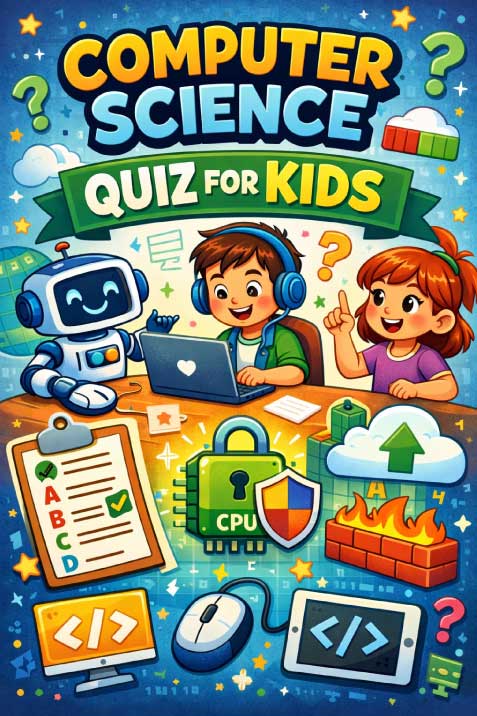
A simple and engaging way to introduce these concepts is through a computer science quiz for kids. Activities like this turn learning into a fun challenge, helping children absorb key ideas about computers, the internet, and programming without feeling overwhelmed. When presented in a playful format, even complex topics become accessible and exciting for young learners.
What This Activity Teaches Children
This quiz-based activity introduces foundational technology concepts in a child-friendly way. It supports multiple areas of development:
1. Basic Computer Knowledge
Children learn essential terms such as:
- URL (web addresses)
- CPU (the brain of the computer)
- Operating systems like Windows
These concepts form the building blocks of digital literacy.
2. Understanding Everyday Technology
By answering questions about devices like a mouse or how the internet works, children begin to understand the tools they use daily.
3. Early Coding Awareness
The activity introduces the idea that coding is used to instruct computers. This helps children understand that technology doesn’t just “work”—it is created and controlled by people.
4. Cyber Safety Awareness
Topics like firewalls and viruses gently introduce children to online safety and security, an essential life skill in today’s connected world.
5. Critical Thinking and Problem Solving
Multiple-choice questions encourage children to:
- Analyze options
- Eliminate incorrect answers
- Make logical decisions
6. Memory and Recall Skills
Repeated exposure to terms like “byte” or “cloud computing” strengthens memory and reinforces learning.
How Parents Can Use This Activity With Their Child
Using this quiz effectively doesn’t require technical knowledge. Here’s a simple approach:
Step 1: Read Each Question Together
Sit with your child and read each question out loud. If needed, explain unfamiliar words in simple terms.
Step 2: Let Your Child Guess First
Encourage independent thinking. Even if the answer is incorrect, guessing helps build confidence and curiosity.
Step 3: Discuss the Options
Go through each answer choice and briefly explain why it could or could not be correct.
Step 4: Reveal and Explain the Answer
After choosing an answer, confirm the correct one and expand on it.
For example:
- If the answer is “CPU,” explain that it’s like the brain that helps the computer think.
Step 5: Connect to Real Life
Relate questions to everyday experiences:
- “You use a mouse when you click on games, right?”
- “We use cloud storage when we save photos online.”
Step 6: Keep It Short and Fun
You don’t need to complete everything at once. Even 3–4 questions per session can be effective.
Tips to Make This Activity Fun
Keeping children engaged is key to meaningful learning. Try these ideas:
Turn It Into a Game
- Give points for correct answers
- Add a small reward at the end
- Create a “tech quiz champion” title
Use a Timer
Make it exciting by adding a countdown for each question.
Act It Out
- Pretend to be a “computer” following instructions
- Act out what a virus or firewall does in a playful way
Use Visual Examples
Show real-life objects:
- A mouse
- A keyboard
- A laptop
This makes abstract concepts easier to understand.
Celebrate Effort, Not Just Accuracy
Focus on participation and curiosity rather than perfect answers.
200 Riddles for Kids: Boost Critical Thinking Through Playful Learning
Activity Preview
The activity presents a series of multiple-choice questions designed to introduce children to essential computer science concepts.
Children are shown clear, structured questions such as:
- Identifying what “URL” stands for
- Recognizing input devices like a mouse
- Understanding the role of a firewall
- Learning what a “byte” represents
- Exploring basic programming ideas
Each question includes four possible answers, encouraging children to think critically before selecting the correct one. At the end, answers are provided, allowing for immediate feedback and discussion.
The format is simple and uncluttered, making it easy for young learners to focus and engage without distractions.
Conclusion
Helping children understand technology doesn’t have to be complicated. Simple activities like a computer science quiz can open the door to big ideas in a fun and approachable way. By guiding your child through these questions, you’re not just teaching them about computers you’re building confidence, curiosity, and essential skills for the future.
With a little encouragement and creativity, even the most basic questions can spark a lifelong interest in learning and innovation.